

Mascot
Vintage Card Prices

Automated graded card comping, powered by VCP

Connect your Vintage Card Prices account to Mascot and surface recent comparable sale prices beside your graded-card inventory. Your team can review comps, jump into full VCP sales history, and make pricing decisions without leaving the workflow.

Bring trusted VCP pricing data into the portfolio view your team already uses every day

Vintage Card Prices
Watch promo video

Auto-pulled comps for every graded card

Once your VCP account is connected, Mascot can surface recent comparable sale prices for your graded cards directly in your portfolio. Instead of checking VCP separately for each slab, your team can see useful comp data right beside the inventory record.

The integration is built for the grading companies card sellers rely on most: PSA, BGS, SGC and CGC. As Mascot processes your graded cards, matched VCP pricing helps you understand where the market is moving and which items may need attention. That gives pricing, buying, and repricing work a faster starting point.

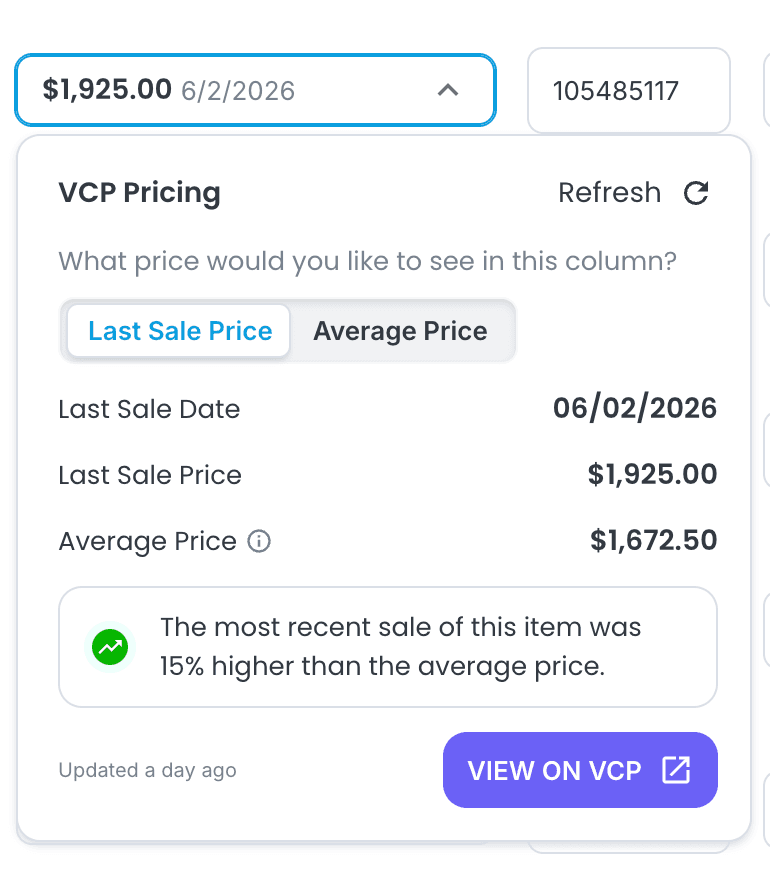
See last sale or rolling average

Different pricing decisions call for different context. For some cards, the most recent sale is the signal your team needs. For others, a rolling average can smooth out one-off auction results and give a cleaner view of current value.

Mascot lets you choose how the VCP Pricing column is displayed, so the same inventory view can support quick checks, deeper research, and day-to-day pricing reviews. Switch the view when your workflow changes, without rebuilding reports or exporting spreadsheets.

One-click access to full VCP history

The number in Mascot is only the start. When you need more detail, you can jump from an item into its VCP page to inspect the complete sales history and the underlying auction data behind the comp.

That keeps the quick answer close to your inventory while still giving experienced sellers the depth they need before repricing higher-value cards, making offers, or reviewing recent market movement. Use Mascot for speed, then open VCP when the decision needs the full story.