Mascot

Automate price drops without losing control

Set a start price, a floor price, and a repricing cadence for listed items. Mascot gradually lowers prices on schedule, keeps every rule visible from inventory, and helps stale listings move without manual repricing.

Keep listings competitive while protecting your minimum price

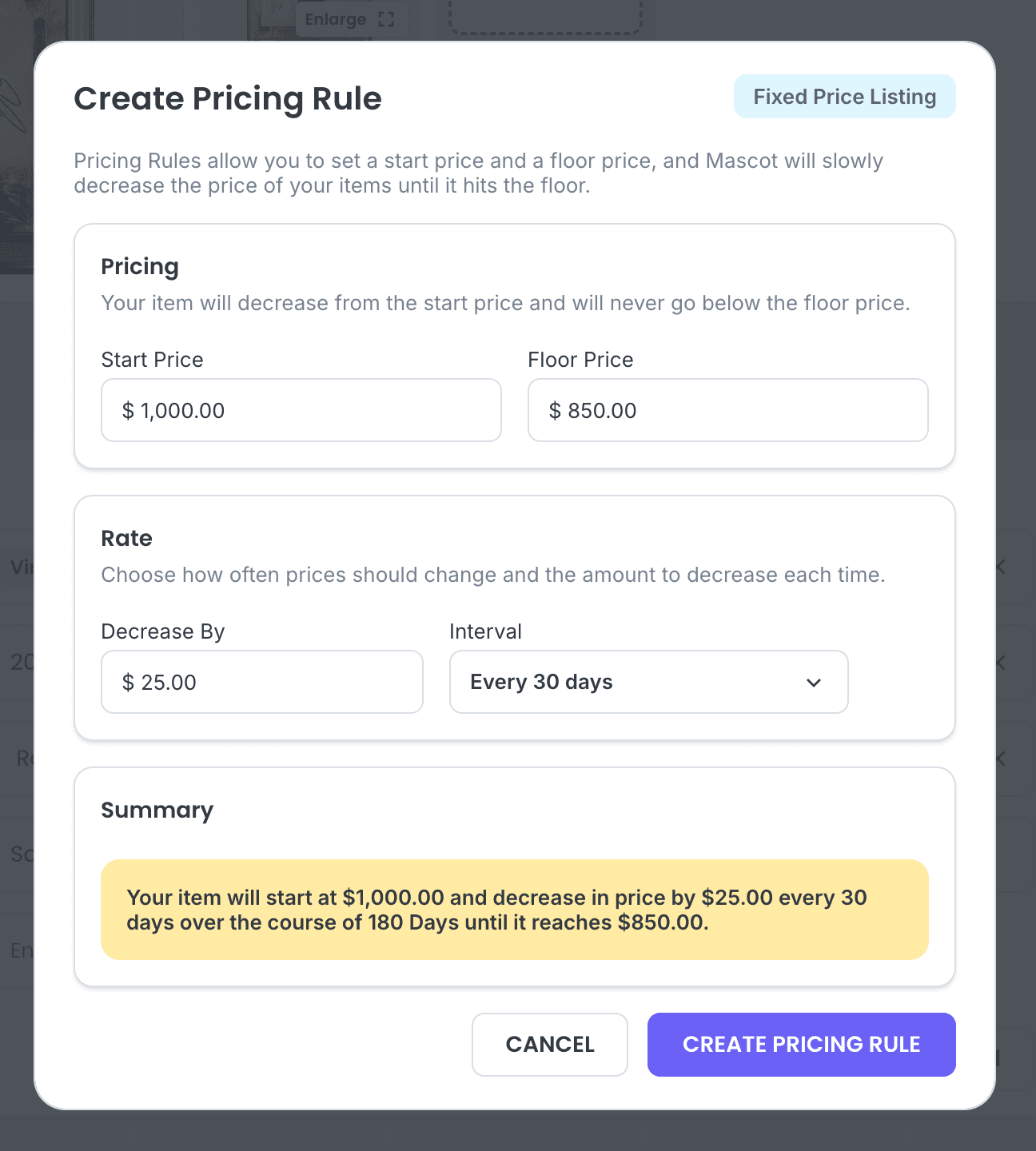
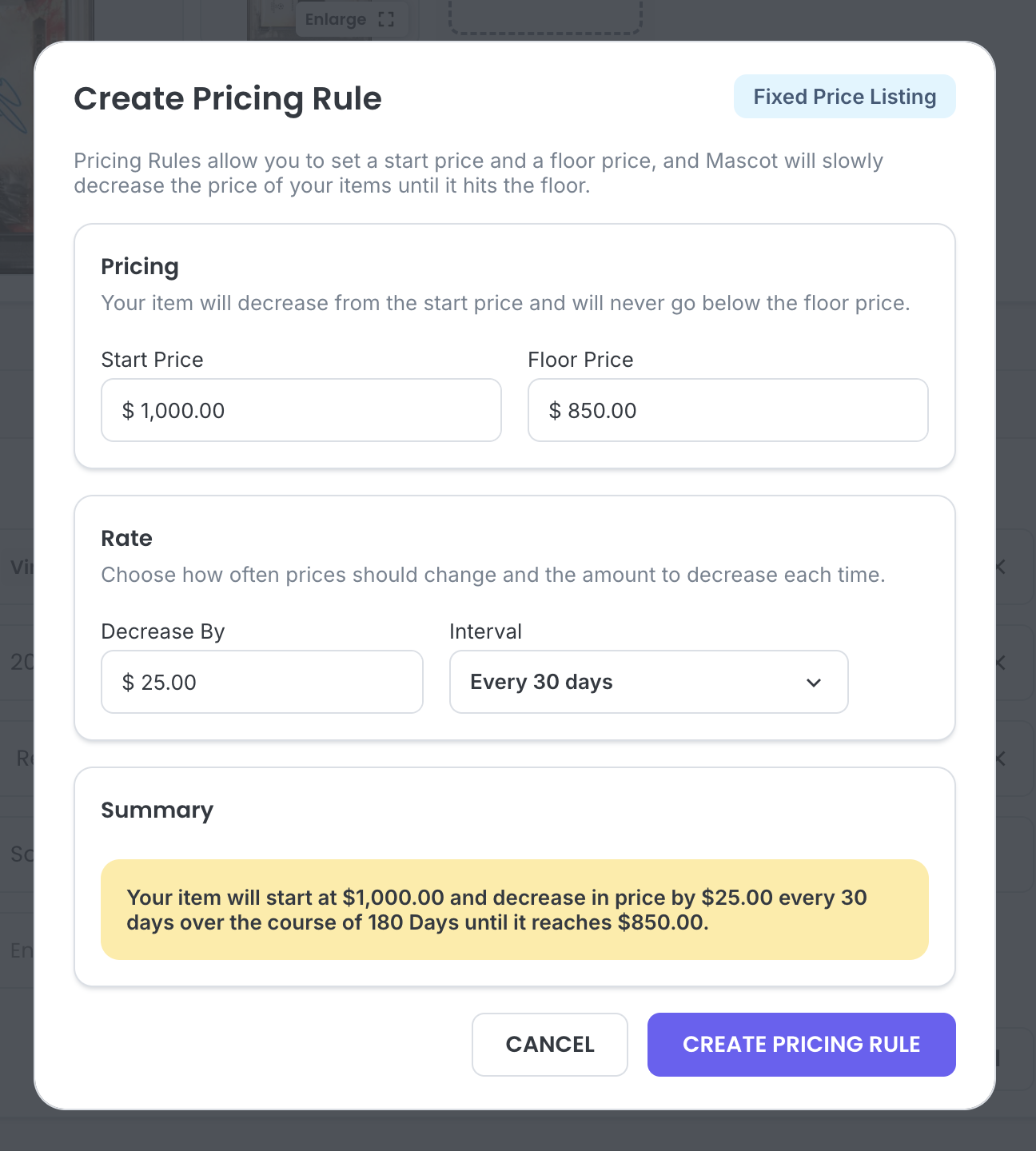
Create a Pricing Rule modal with start price, floor price, decrease amount, and interval

Set the pricing path once

Pricing Rules let you define how a listed item should move over time. Choose the starting price, the floor price, the amount to decrease by, and how often Mascot should apply the change.

Before the rule is created, Mascot summarizes the full path so your team can confirm the cadence, duration, and protected floor price. That makes repricing predictable instead of reactive. Your item can keep getting more competitive without ever dropping below the price you are comfortable accepting.
Set the pricing path once

Track active rules from inventory

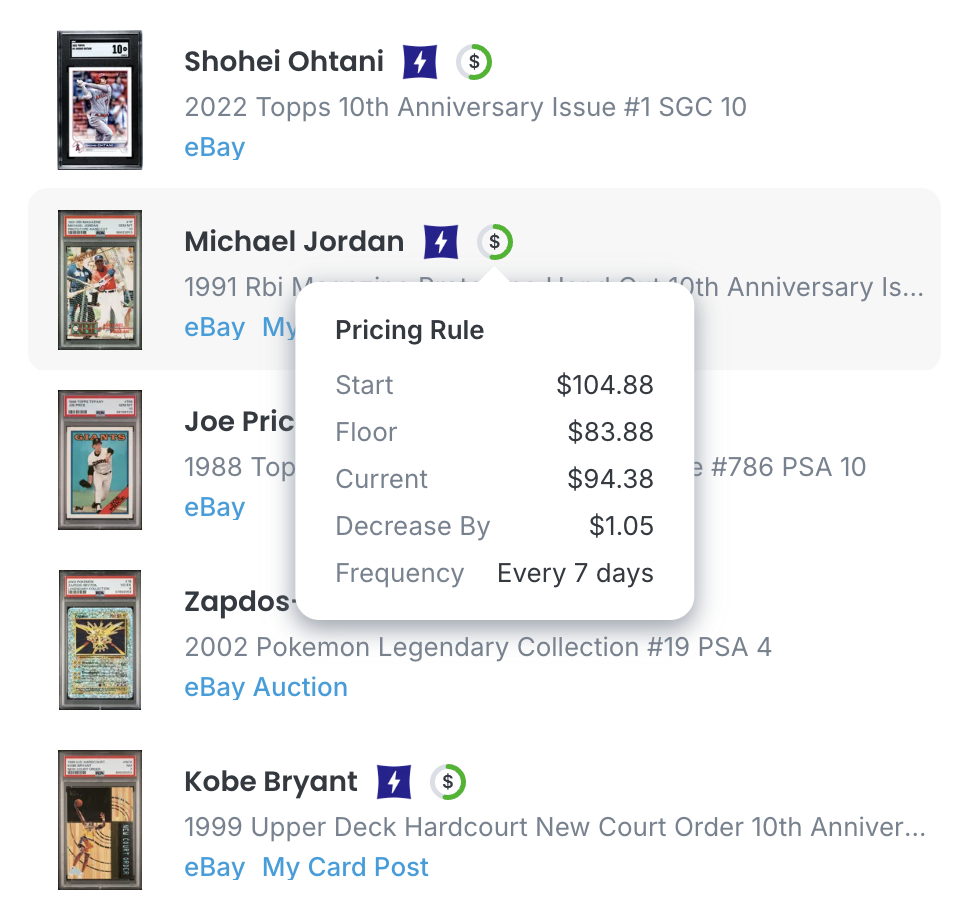
Active pricing rules stay visible beside the items they affect, so sellers can quickly check the start price, floor price, current price, decrease amount, and frequency without opening a separate report.

That visibility makes it easier to review which items are being repriced, understand why a listing changed, and spot inventory that needs a different strategy. Pricing context follows the item, keeping everyday inventory reviews faster and clearer.

Track active rules from inventory

Create pricing rules in bulk

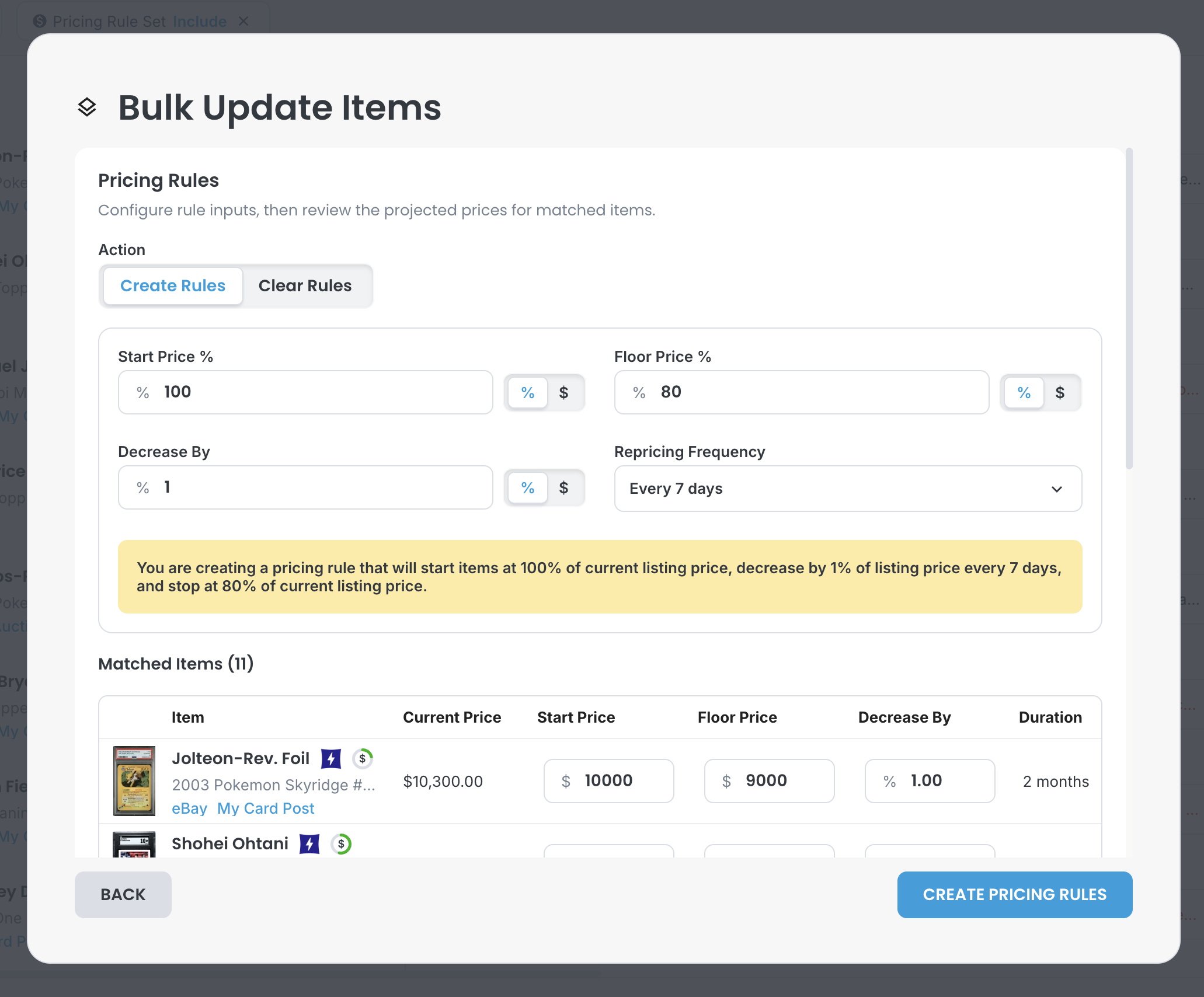
For larger updates, Pricing Rules work with bulk item actions. Filter to the inventory you want to move, choose whether rules should be created or cleared, and apply consistent pricing logic across the matched items.

Bulk setup can use percentages or dollar amounts for start prices, floor prices, and decreases, then preview the projected values for each matched item before creating the rules. Turn a long manual repricing pass into a controlled bulk workflow.

Create pricing rules in bulk